
Sign and stamp PDFs. Seal them, too.
Put your signature and stamp on a PDF, save a new copy, and seal it so any later edit shows.
No printing, no scanning, no uploading. Your files never leave your computer.
- Free · open source (MIT)
- Nothing uploaded
- macOS · Windows
- English · 한국어
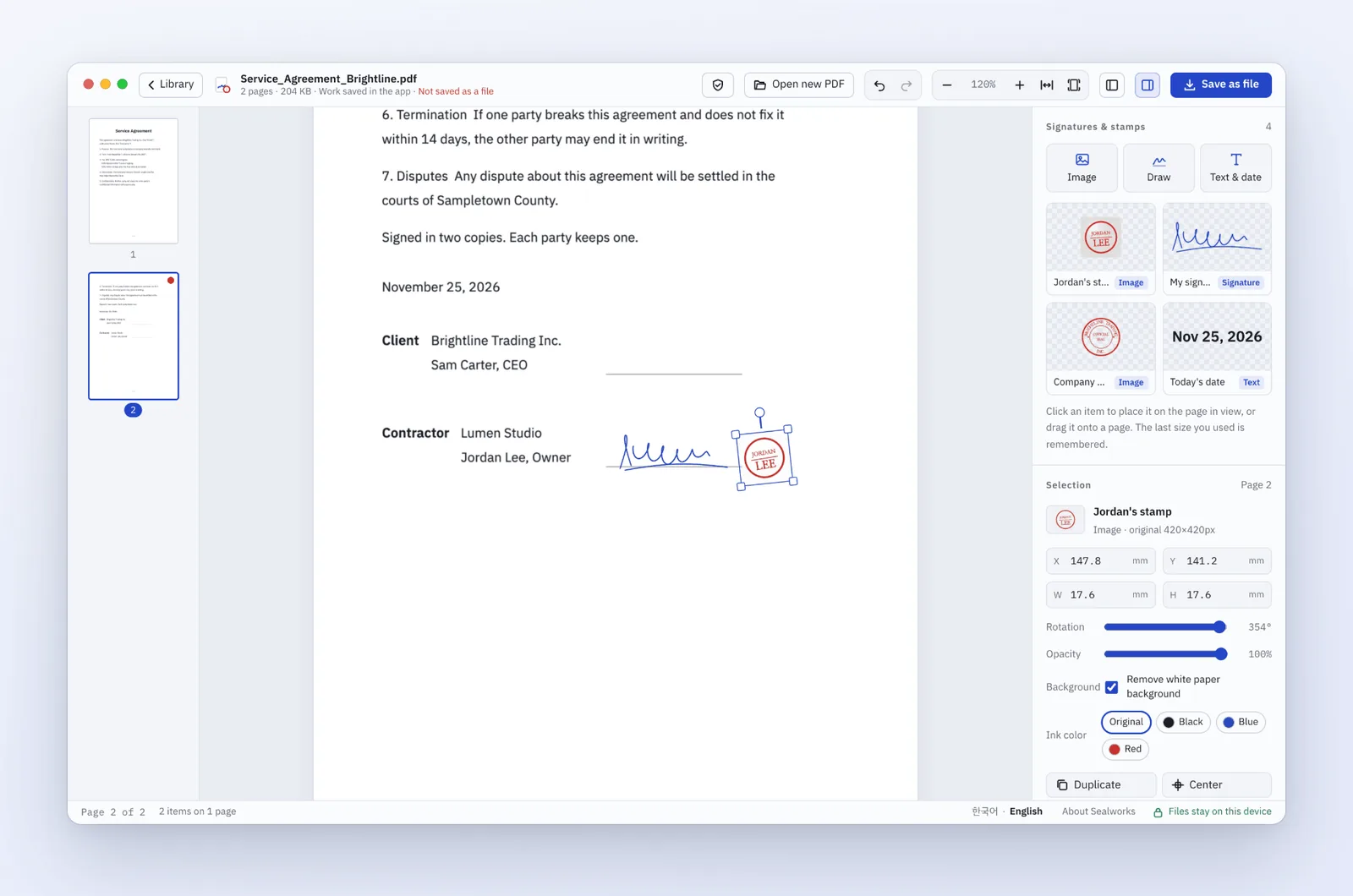
Signing one page shouldn't take a printer
If signing one page of a contract means any of these, Sealworks can help.
- You print it, sign it with a pen, scan it again and send it back.
- Paying for Acrobat just to add a signature feels like too much.
- Getting a stamp image into macOS Preview or a PDF viewer is fiddly.
- You'd rather not upload company papers to a website you've never heard of.
Three steps
Open a PDF, place your signature, save a new file. Your original stays as it is.
-
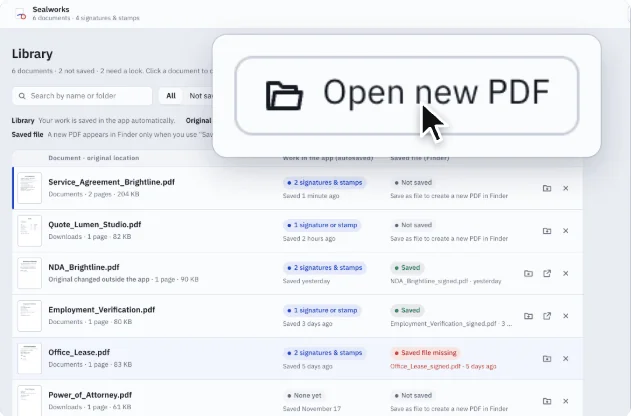
Open a PDF
Click Open new PDF, or drop a PDF onto the window.
-
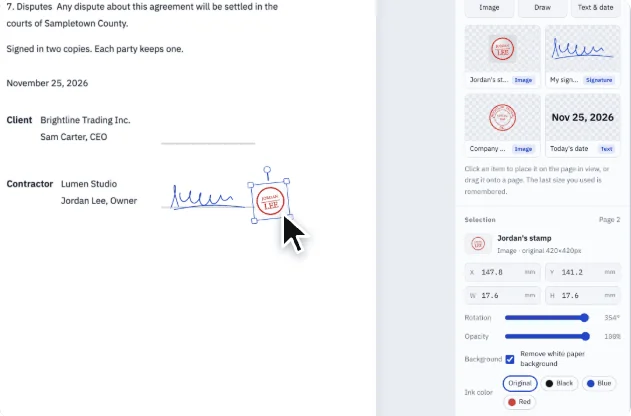
Place your signature
Click a signature or stamp in the Signatures & stamps list, or drag it where it belongs. Drag a corner to resize it and the round handle on top to rotate it.
-
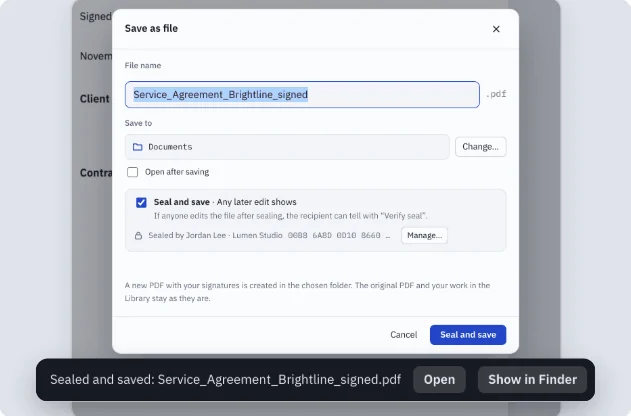
Save a new file
Click Save as file. Sealworks creates a new PDF named like
Contract_signed.pdf. Turn on Seal and save if you want later edits to show.
Any later edit shows
When you save with Seal and save, Sealworks adds a digital signature (PAdES) to the finished PDF. The seal covers every byte of the file. If anyone changes the file afterwards, even by one character, the seal no longer matches and the change shows.
The seal can't stop anyone from editing a copy. It makes edits impossible to hide.
The first time you seal, Sealworks asks for your name (and, if you like, your organization). It then makes a sealer identity on your computer: a private key and a certificate with that name. The name goes into every file you seal.
What Verify seal tells you
- Seal intactNothing in the file has changed since it was sealed.
- Modified after sealingThe file was changed after sealing, for example re-saved in another app. Ask the sender for the file again.
- Seal is not validThe seal doesn't match the contents, or it's damaged. Don't rely on the file.
- Not sealedThe PDF has no seal, so there's no way to tell whether it was changed.
Check it in Sealworks
Click Verify seal in the title bar (or on the Library screen), then drop the PDF on the dialog or click Choose file…. Checking a file never adds it to your Library. The result also shows who sealed it, when, and the certificate fingerprint.
Check it in Adobe Acrobat
Open the PDF in Acrobat or the free Acrobat Reader and open the Signatures panel. It shows whether the document was changed after it was signed. It will also say the signer's identity can't be verified. That's expected: the certificate was made by Sealworks on the sender's computer, not bought from a certificate authority.
Check who sealed it
Because the certificate is self-made, the name in a seal only tells you what the sealer typed. To be sure a file came from a particular person, compare fingerprints. The sender finds theirs under Sealer… and shares it with you once, for example by phone or in person.
Honest limits
- A seal shows tampering. It doesn't prevent it, and it can't stop someone from removing the seal and sending the file on as an ordinary, unsealed PDF. If a seal matters to you, check that one is there.
- Re-saving a sealed PDF in another app usually breaks the seal. macOS Preview can do this even when you only add a note or highlight. Keep the file exactly as you received it.
- The seal is meant for spotting changes. It isn't a certified electronic signature under any law. If a document needs a particular kind of electronic signature, check what the recipient or the law requires.
- Your sealer identity lives only on your computer. Back it up with Sealer… › Back up… as a password-protected
.p12file. How to back up and restore
What Sealworks does
Everything you need to put a signature on a page, and nothing that sends your files anywhere.
-
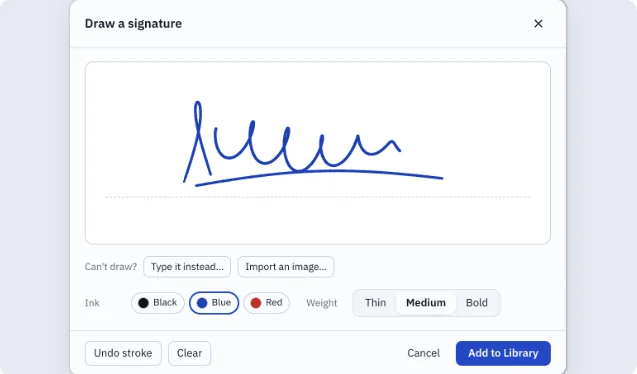
Draw your signature
With a mouse or trackpad. Ink in black, blue or red, in three weights.
-
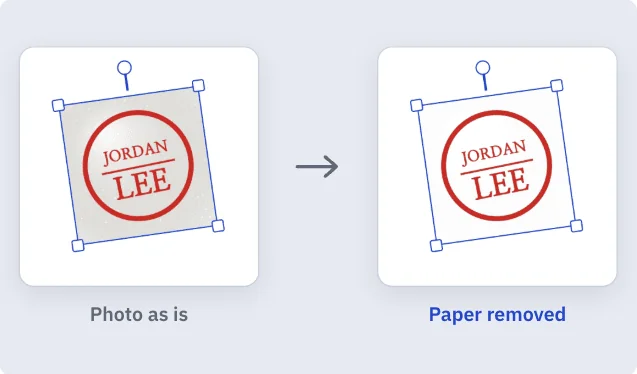
Clean stamp photos
Import a PNG or JPG, or paste one. For a photo of a stamp on paper, Sealworks removes the white background.
-
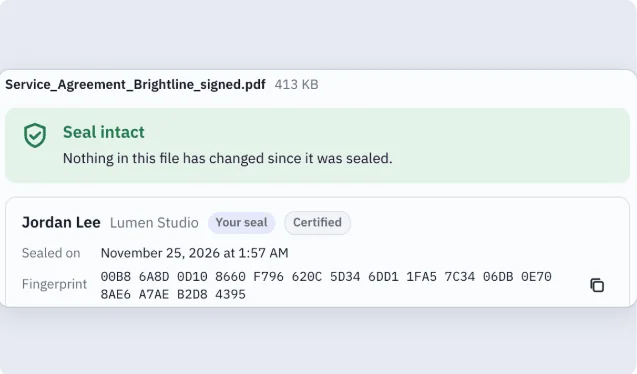
Seal: edits show
A tamper-evident digital signature. Verify seal tells you if the file changed.
-
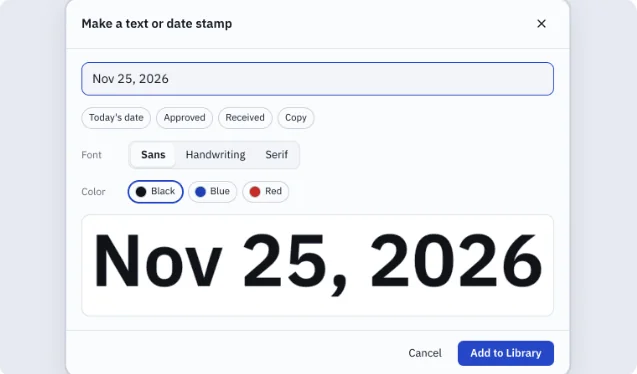
Text and date stamps
Your name, today's date, “Approved”, “Copy” and more, in sans, handwriting or serif type.
-
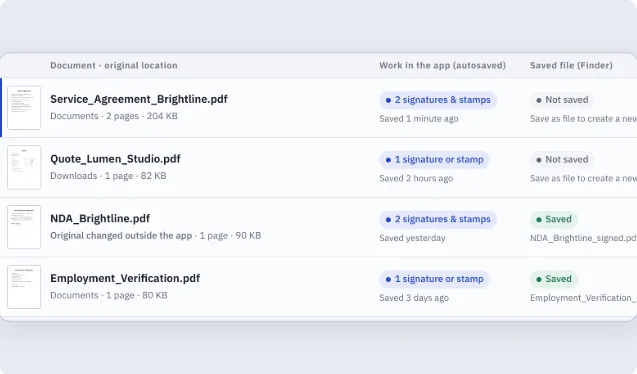
Library saves as you go
Documents you open and the signatures you place are saved in the app automatically. Each document shows whether it was saved as a file.
-
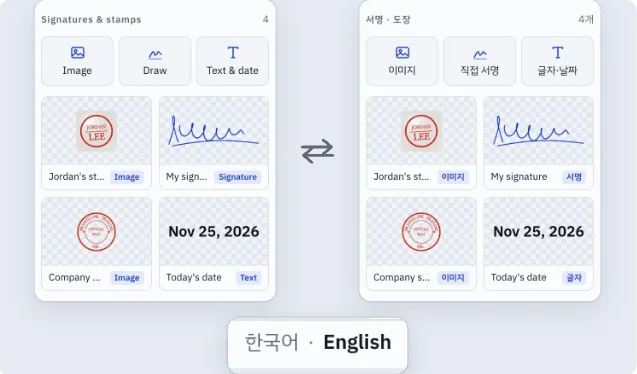
English or 한국어
Switch from the status bar or View › Language. Nothing reloads, nothing is lost.
- Get the placement right. Size, rotation, opacity and ink color. Type a position in mm, or let the guides snap it into place.
- Many pages. Copy a placed item to other pages, or put it on every page at the same spot.
- Add once, reuse. Signatures and stamps you add stay in the list, ready for the next document.
- Tells you when files change. If the original or the saved file is moved, renamed or edited in Finder or File Explorer, Sealworks tells you.
- Undo. ⌘Z / Ctrl+Z takes back a mistake.
- Your original stays as it is. Sealworks works on a copy and writes a new PDF only when you choose Save as file.
Your files never leave your computer
- Stays on your computerPDFs, images, signatures and stamps are processed on your computer only. Sealworks works offline and doesn't use the network.
- No accountNothing to sign up for and nothing to sign in to.
- No trackingNo analytics, no crash reporting, no advertising identifiers.
This website has no cookies or analytics and loads nothing from other servers. Read the full privacy policy.
Get Sealworks
Free. For macOS 13 or later and Windows 10 or 11 (64-bit).
Mac App Store
Sealworks is coming to the Mac App Store.
Mac (DMG) and Windows
Also available for Mac (DMG) and Windows, from the release page on GitHub.
- Mac with Apple silicon:
…-arm64.dmg - Mac with an Intel processor:
…-x64.dmg - Windows 10 or 11:
…-setup-x64.exe(installer) or…-portable-x64.exe(runs as is)
These downloads aren't signed with paid Apple or Microsoft certificates, so the first launch shows a warning. How to open it the first time
Download for Mac and Windows